Task evals
runme eval is experimental. The command group is intended for agent task eval workflows and may change as the eval workflow matures.
runme eval is an experimental command group for running repeatable task datasets against local agents.
It builds on Harbor's task, dataset, trial, and job model, but Runme presents the workflow through the runme eval CLI.
runme eval is distinct from Runme's notebook execution workflow. It does not run Markdown cells from a runbook. Instead, it runs task datasets that ask agents such as Codex, Claude Code, Cursor CLI, OpenClaw, or custom Harbor-compatible agents to complete concrete tasks in a local project environment. Each task defines how to set up the work, what the agent should do, and the verifier that scores the final result and, when relevant, the path the agent took. runme eval records those attempts as eval jobs, compares rewards against Git-tracked baselines, and can promote changes with eval evidence.
Why use runme eval?
Use runme eval when you want to prove an AI agent workflow from the same place you develop it: close to the repo, the task definition, the agent configuration, and the evidence you plan to review or promote.
Harbor remains the underlying eval model and runner. It provides the task, dataset, trial, job, and artifact concepts that make agent evaluation concrete. Runme builds on that model for workflows deployed into existing agent harnesses such as Codex, Claude Code, Cursor CLI, or OpenClaw. It is not trying to replace agent SDKs or benchmark infrastructure for building new agents.
Runme adds the repo-local workflow around Harbor: stage a working directory, run the agent where the project already lives, inspect the recorded job, compare the result against a baseline, and promote eval evidence with the code it validates.
That makes runme eval useful for the inner development loop. Authors can create, run, inspect, and improve eval tasks against real repo state and locally authenticated agent CLIs before moving the same task into CI, Docker, or larger benchmark infrastructure.
Workdir staging
When a Harbor task sets [environment].workdir to an absolute /app/... path, Runme can map that path back into the local Git workspace. The default Runme environment stages the mapped directory into each trial workspace so local agent harnesses work against an isolated copy. Docker-based Harbor runs mirror the same directory into the task's environment/workdir directory, where Docker setup can include it in the task environment.
Git-backed promotion
Git provides the promotion trail. Eval jobs can be committed with the source changes they validate, so future runs can compare a local candidate against the latest Git-tracked baseline and show whether the workflow got better, worse, or just different.
The demo below runs the RewardKit example dataset and records the scored eval job locally.
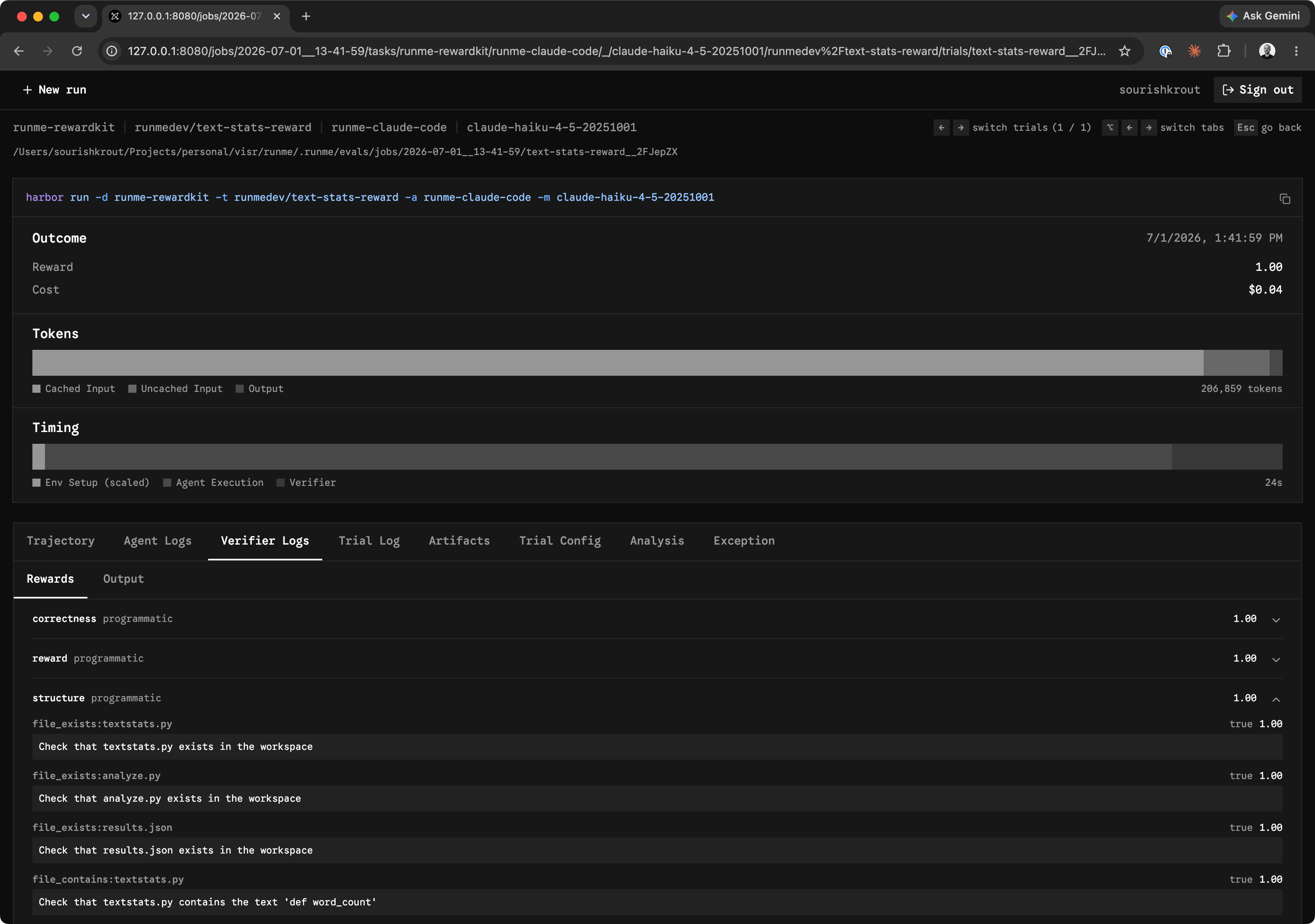
After an eval run finishes, runme eval view opens the local eval dashboard so you can inspect the recorded job, review task and trial details, compare reward scores, read agent and verifier logs, and open generated artifacts from the same run.
Prerequisites
runme eval delegates to the optional runme-harbor Python adapter. Install it as an isolated tool:
uv tool install runme-harbor
The runme CLI must be installed separately and available on your PATH.
External agent runs require the selected agent CLI to be installed and authenticated locally. Supported agent options include:
oracle: Harbor's built-in oracle solution runner. It runs the task's provided solution and is not an external agent CLI.codexclaude-codecursor-cliopenclaw
External agent harness support is limited to the CLIs currently tested with runme eval. If an agent harness is missing, please open a GitHub issue with the CLI name, install instructions, and any local authentication requirements.
Defaults
When you run runme eval without extra path configuration, Runme uses these defaults:
- Dataset path:
./evals/tasks - Jobs directory:
.runme/evals/jobs - Agent:
oracle, Harbor's built-in oracle solution runner - Environment: Runme's Harbor environment
Commands
Use the quickstart to run a small end-to-end eval loop:
Use the reference when you need command syntax and flags: